One of the most common technical SEO problems ecommerce stores and marketplaces have to deal with is managing the crawling and indexing of product filter URLs — or "faceted navigation".
Faceted navigation often generates hundreds of thousands or even millions of URLs, because in many setups every possible combination of filters generates a unique string.
For example, if a customer wants to view red and green t-shirts with a maximum price of $30 in size medium, the URL might look like:
example-store.com/products/t-shirts?color=red&color=green&maxprice=30&size=mediumAdd blue colours and large sizes, and you might get:
example-store.com/products/t-shirts?color=red&color=green&color=blue&maxprice=30&size=medium&size=largeClick on those filters in a different order, and you might get:
example-store.com/products/t-shirts?size=medium&maxprice=30&color=green&color=redIt quickly adds up. This exponential URL generation can cause technical SEO issues like:
- Duplication — lots of near-identical URLs surfacing similar products
- Cannibalisation — multiple URLs targeting similar search demand, all ranking worse as a result
- Crawl bloat — lots of URLs for crawlers to get through (they may give up)
No wonder, then, that many SEOs simply see faceted navigation as a problem to be fixed: don't let Google index the filters and, preferably, stop them being crawled altogether. Common approaches include:
- Blanket canonicalisation: all filter URLs have a canonical tag pointing back to the unfiltered version
- Client-side filtering: all filtering is done client-side via JavaScript states, so filter URLs are never generated for crawlers to request
- Robots.txt blocking: crawlers are blocked from crawling filter URLs at all
- Blanket noindexing: all filter URLs carry a noindex tag
Each of these has its advantages — some more than others. Client-side filtering, for example, cleanly avoids crawl issues, but without state storage via hashed URLs it doesn't give users a shareable link, and on slower mobile connections the filters may become interactive long after the HTML has loaded.
But it's a mistake to treat filter URLs as simply a problem to mitigate. It can be an opportunity. With the right strategy and careful management, selective filter indexation lets you target long-tail queries at scale.
This kind of query targeting can be especially useful for increasing traffic from LLMs, which often use very specific, long-tail queries in their fan-outs.
Such niche queries are also less likely to trigger AI Overviews and other CTR-killing SERP features.
Here's how four brands approach facet indexation, and where they get things right — and wrong.
Next: rule-based indexability with unique title tags and H1s
Next, a UK-based fashion and homeware retailer, uses a sophisticated logic to define whether pages can be indexed, and to generate dynamic content and metadata for indexable pages.
Taking women's dresses as an example: some filters create an indexable URL — colour, length, size, style, body fit, use. But add more than one variable per dimension — two different colours, for example — and the page is noindexed.
Some categories are indexable when paired together — [blue] [evening dresses], say, or [blue] [wedding guest] dresses, or [red] [size 10] dresses. Others aren't, even if the individual dimensions are indexable. For example, "style" filters are indexable — "[belted] dresses" — but any combination of style with another dimension — "[belted] [size 10] dresses" — triggers a noindex. As far as I can tell, any combination of more than two dimensions isn't indexable.
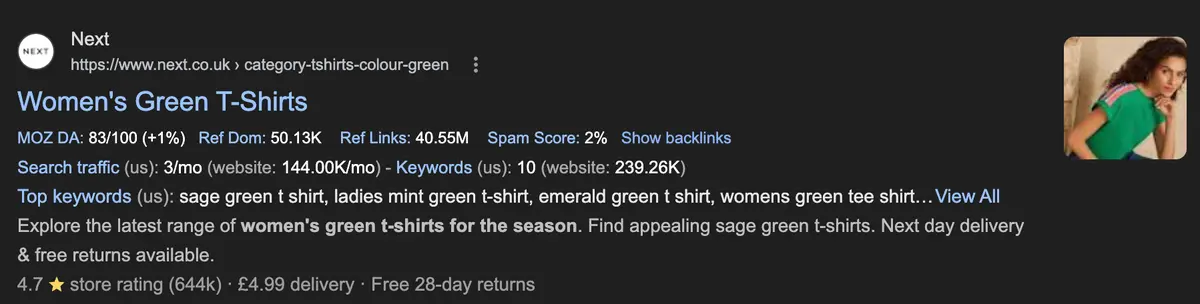
Valid filter combinations generate dynamic headings and metadata too. For example, adding the "t-shirt" category filter and "green" colour filter to women's tops generates the heading "women's green t-shirts":

When the combination of filters isn't indexable, the heading falls back to "Products found ([number of products])".
(Title tags, however, are generated based on every dimension selected, regardless of indexability.)
Next avoids heading flicker — H1s changing every time you click a new filter, which would be disorienting — by rewriting the URL via JavaScript. Nothing changes until that new URL is freshly requested, at which point the unique heading, which is server-rendered, is visible.
All filtering is done client-side — there are no static <a href> links to filters. This
avoids pointing Google to millions of low-value URLs and reduces cannibalisation, but it means Google can't
naturally discover the ones that should be indexed.
Next solves this by adding static <a href> links just above the filtered results:

(Some of these static links aren't indexable, which may be an oversight or a deliberate decision — the "Vests" link above links to a listing filtered by two categories, "vests" and "camisoles", which, given Next's filter indexation logic, is automatically noindexed.)
The upshot of this approach is that Next ranks well for a wide range of long-tail queries, while minimising cannibalisation through intelligent noindexing logic on product filters — no doubt structured around patterns of search demand. The client-side filtering prevents Google from crawling endless filter combinations, while the static links above the unique content ensure consistent URL discovery for higher-value pages.
Backmarket: client-side filtering with hash storage, selective indexation through landing pages
Backmarket, a refurbished tech retailer, prevents indexation of all faceted navigation, instead targeting long-tail queries via manually created, pre-filtered landing pages.
Backmarket's filtering happens client-side. When you select a facet, hashes are added to the URL to store the filtered state:
https://www.backmarket.co.uk/en-gb/l/airpods/5091ca6b-c36c-4d50-b644fb3c5bdd5f16#model=999%20AirPods%203This makes the filter shareable — resolving one common issue with client-side product filtering — but it suffers from the same issues as any JS-dependent content: filtering loads more slowly than the basic HTML, and with no filtering applied server-side, users see an unfiltered product list until the JavaScript loads.
On slow connections — say, when using mobile data on public transport — the delay between the initial content load and the client-side product refresh can be significant.
Google won't index hashed URLs (which is probably partly why the approach was chosen), so none of these filters can be indexed. This limits index bloat and cannibalisation, and reduces crawl resource expenditure. But it also means those filters can't target relevant long-tail queries.
Instead, long-tail targeting is handled through manual creation of pre-filtered landing pages. For example, add a filter for "Sony" to your search for headphones and the filter state is hashed — not indexable:
https://www.backmarket.co.uk/en-gb/l/headphones-by-brand/0dbe1d3d-a735-4ed2bcfe-b747ed3de5b9#brand=99%20SonyBut on the audio landing page, you can select Sony from a "top brands" list:

These links resolve to a URL under a completely different subfolder:
https://www.backmarket.co.uk/en-gb/l/sony-headset/bb992bf2-4c33-45e9-a69bedf8032a1982These URLs are indexable, and they perform well — Backmarket is the first non-branded result in the UK for "refurbished Sony headphones":
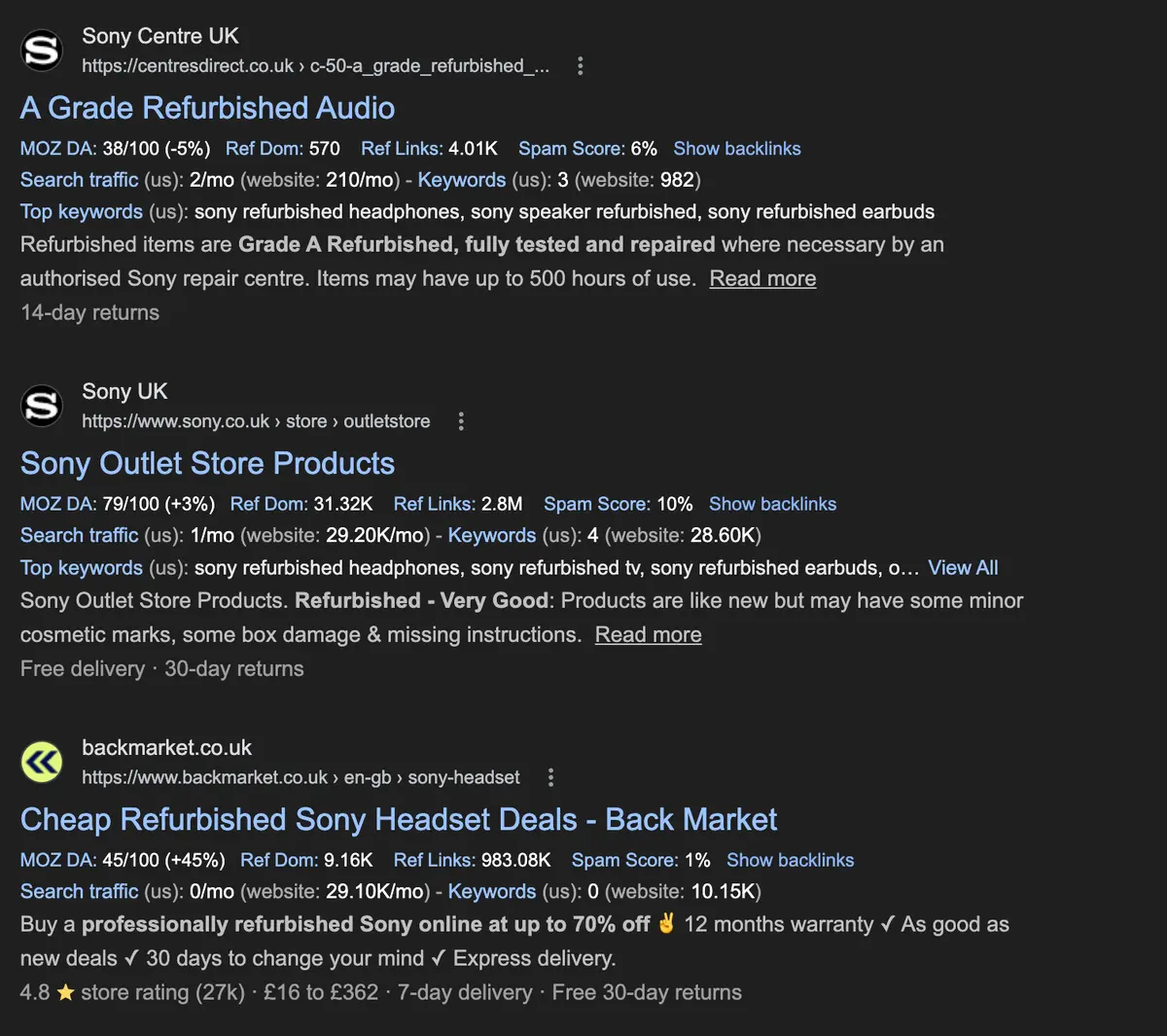
The downside of this approach is that it requires careful keyword targeting and clustering to avoid missing long-tail search demand, and targeting every relevant query this way becomes laborious. But for a relatively static set of products and brands, it's a well-balanced solution.
field doctor: blanket canonicalisation, crawl bloat from parameterised product modals
field doctor, a delivered-to-your-door healthy ready meal service built on headless Shopify, takes the blanket
canonicalisation approach. All filters in their shop generate a URL with query parameters, and all canonicalise
back to /shop/all:
https://www.fielddoctor.co.uk/shop/allThey then target high-value long-tail queries with dedicated landing pages — for example, a high-protein landing page:

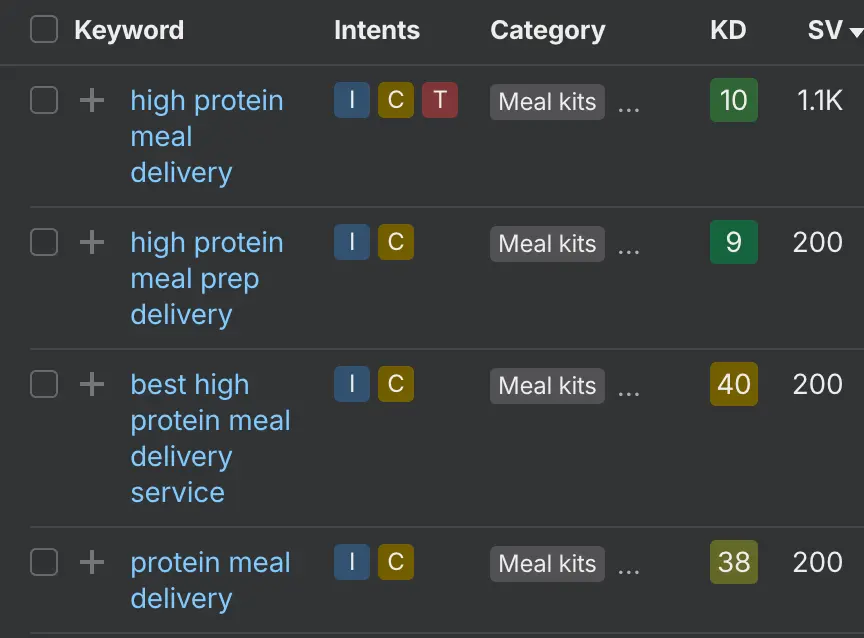
Relevant searches number in the thousands each month:
For the most part, this works well. Ahrefs estimates that 22% of field doctor's traffic comes from these landing pages, and they rank competitively in the UK for many target queries:
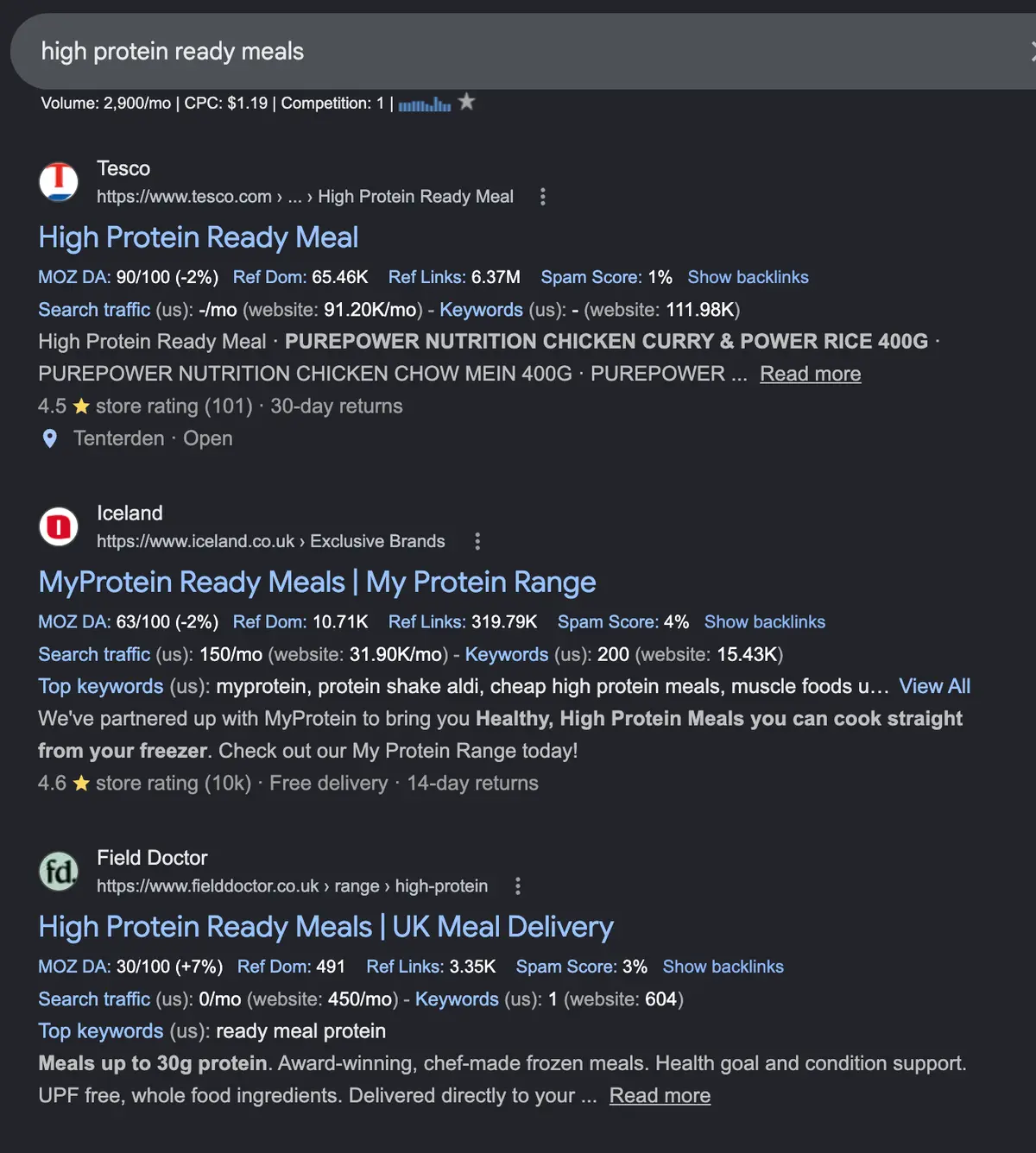
(Although given the preponderance of filtered product listings at the very top of those search results, it's worth asking if they might rank even better with indexable filtered product results.)
That said, this approach likely misses out on niche queries that indexable combination filters would target. For example, while the high-protein landing page ranks well for "high protein ready meal", it doesn't rank for the very long tail "protein pasta ready meal":
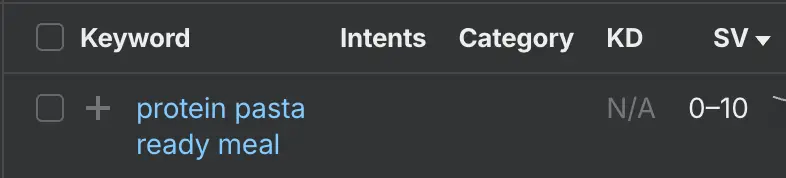
If instead field doctor set an indexation logic on their shop filter that canonicalised goal + ingredient combinations — something like:
https://www.fielddoctor.co.uk/shop/all?tags=diet-High+Protein%2Cingredient=pasta— they could target thousands of individually low-volume queries that aggregate into meaningful quantities of high-intent search traffic.
(For the record, field doctor doesn't currently have filters for including ingredients, only excluding. I've used a pasta filter here for illustrative purposes.)
So far, similar to Backmarket's successful approach. But where field doctor's faceted navigation could run into real problems is in its near-infinite URL generation, with the potential for significant crawl bloat and duplication.
Not only are there dozens of filtering options, each of which can be stacked in any number of configurations, but every product link within every filtered search generates a pop-up modal, and that modal is appended to the end of the URL. This is common in headless setups, but it can exponentially increase URL generation.
Filter by high protein, gluten-free and without mushrooms, and you get:
https://www.fielddoctor.co.uk/shop/all?tags=diet-High+Protein%2Cfree-mushroom%2Cfree-glutenAnd these top three results:
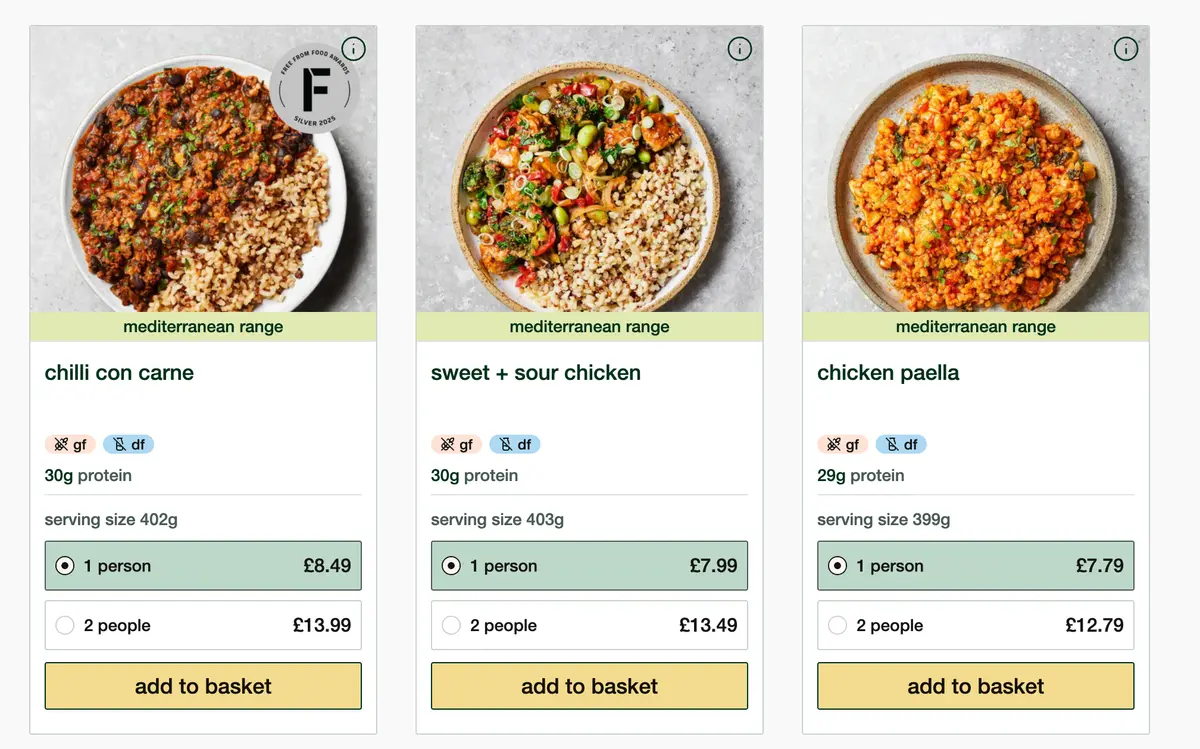
Click on "chilli con carne" and you load not the product page itself, but an overlaid modal:
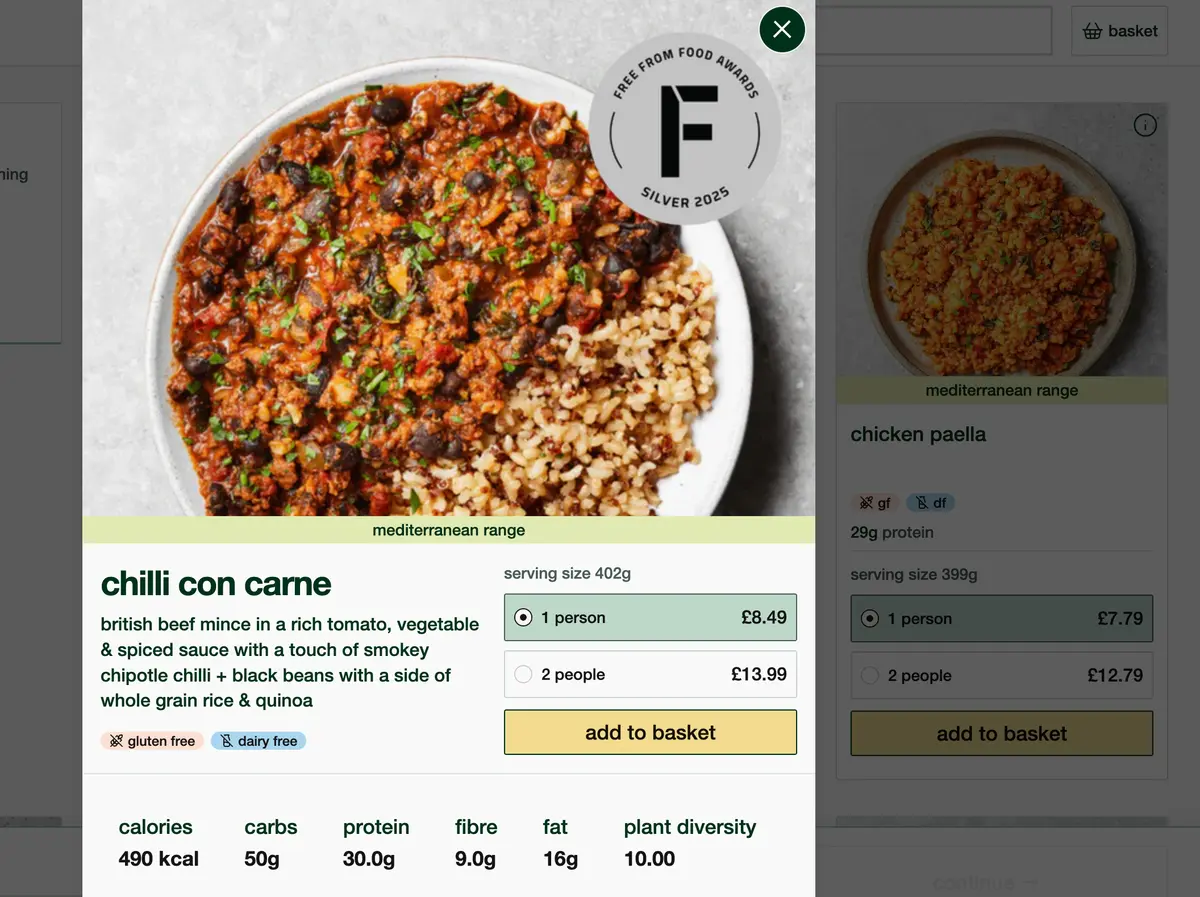
The modal is then appended to the URL:
https://www.fielddoctor.co.uk/shop/all?tags=diet-High+Protein%2Cfree-mushroom%2Cfree-gluten&productModal=chilli-con-carne-1Any URL with a product modal canonicalises to that product's actual page, but the potential URL configurations here are near infinite: every possible dish, for every possible combination of filters, in every possible order those filters can be applied.
This is further compounded by the absence of parameter ordering logic. Depending on what order you apply filters, the URL is different:
https://www.fielddoctor.co.uk/shop/all?tags=health-bones%2Chealth-inflammatory%2Chealth-muscleshttps://www.fielddoctor.co.uk/shop/all?tags=health-muscles%2Chealth-inflammatory%2Chealth-bonesEvery filtered search also shows a "browse our full menu" button:

But clicking it doesn't clear filters — it appends another parameter:
https://www.fielddoctor.co.uk/shop/all?tags=health-bones%2Chealth-inflammatory%2Chealth-muscles&cat=allThere's a UX logic here — if you have a complex set of filters, you might not want to lose them just to view the full menu. But it's functionally similar to just using the back button, and it adds another layer of URL permutations.
What makes this potentially problematic for field doctor's organic performance is that every possible filtered
URL is reachable by Google — because filtering isn't handled client-side. Each facet is present in the
unrendered HTML as a static <a href> link:
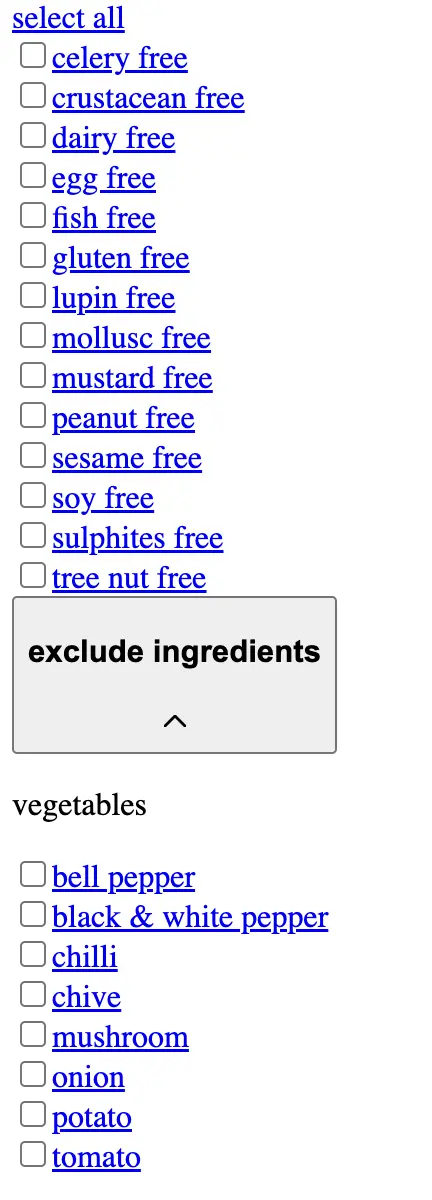
Google can follow one link, add one parameter, navigate again and see a different parameter, navigate again... and so on, almost indefinitely.
There's evidence this is leading Google to ignore some of field doctor's canonical tags. For
inurl:https://www.fielddoctor.co.uk/shop/all?tags, the first two results are for the same
product — the same modal, appended to two completely different filtered searches:
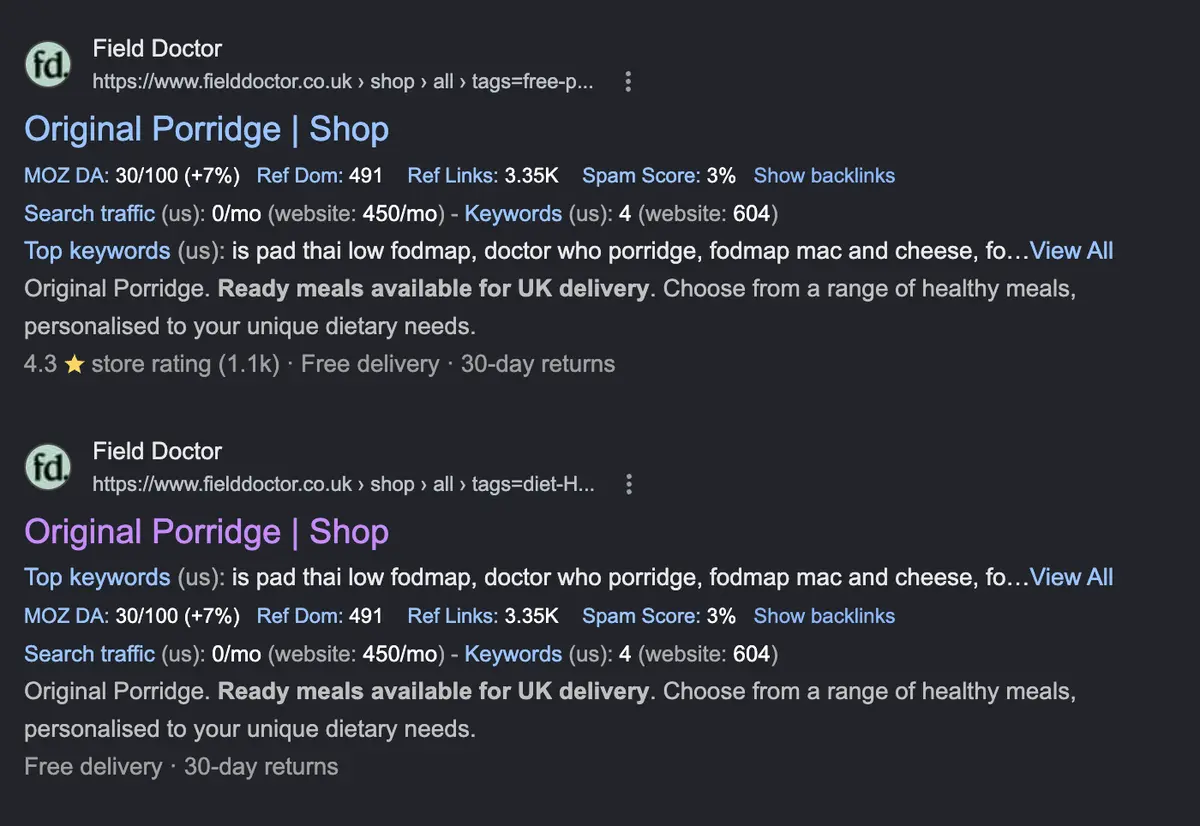
This is happening because Google can systematically request millions of filtered URLs, and there are near-infinite combinations of duplicated content through the product modal system.
There's nothing wrong with field doctor's approach to indexation in principle — they've made a clear decision to use static landing pages to target the long tail and exclude product filters from search results. But, as is so often the case, the nuances of how a site is built can undermine a theoretically solid approach. In this case, a more aggressive option — noindex over canonicalisation, or even robots.txt crawl management — is likely necessary.
Tandem: clean location filtering, but missing some long-tail variants
(When I started writing this article, Tandem was in very different shape. They've since built a solid setup, but there's still more they could do to capture long-tail variants.)
Tandem, an office leasing marketplace built in Next.js, uses blanket canonical tags for filter URLs, which are generated as query parameters. In the screenshot below, I've filtered the Boston listings to offices with space for five employees and access to standing desks:
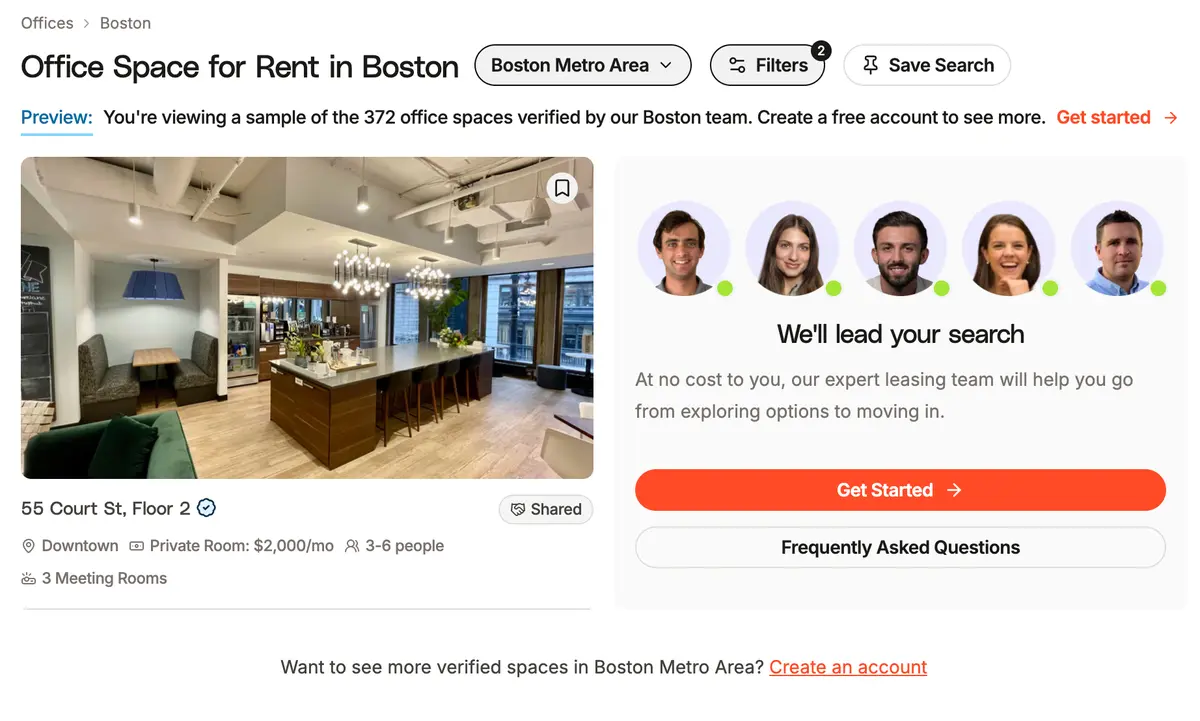
This creates the URL:
https://tandemspace.com/offices/boston?numDesks=5&amenities=%5B%2522STANDING_DESKS%2522%5DWhich canonicalises back to /offices/boston:
<link rel="canonical" href="https://tandemspace.com/offices/boston">Such blanket canonicalisation is tidy — it limits cannibalisation and excessive URL generation — but it limits your ability to rank for the long-tail variants your filters might target.
Tandem have addressed this to an extent by including clean, crawlable URL paths to popular districts in the three cities they serve — San Francisco, New York City, and Boston. Scroll to the bottom of the NYC listings and there are links to rendered URL paths for SoHo, Flatiron, NoMad, and so on:

Clicking SoHo leads to https://tandemspace.com/offices/new-york-city/soho — much neater than the
client-side approach to precise location filtering, which uses a drag-and-drop map whose placement turns the URL
into a long, canonicalised, coordinates-based string:
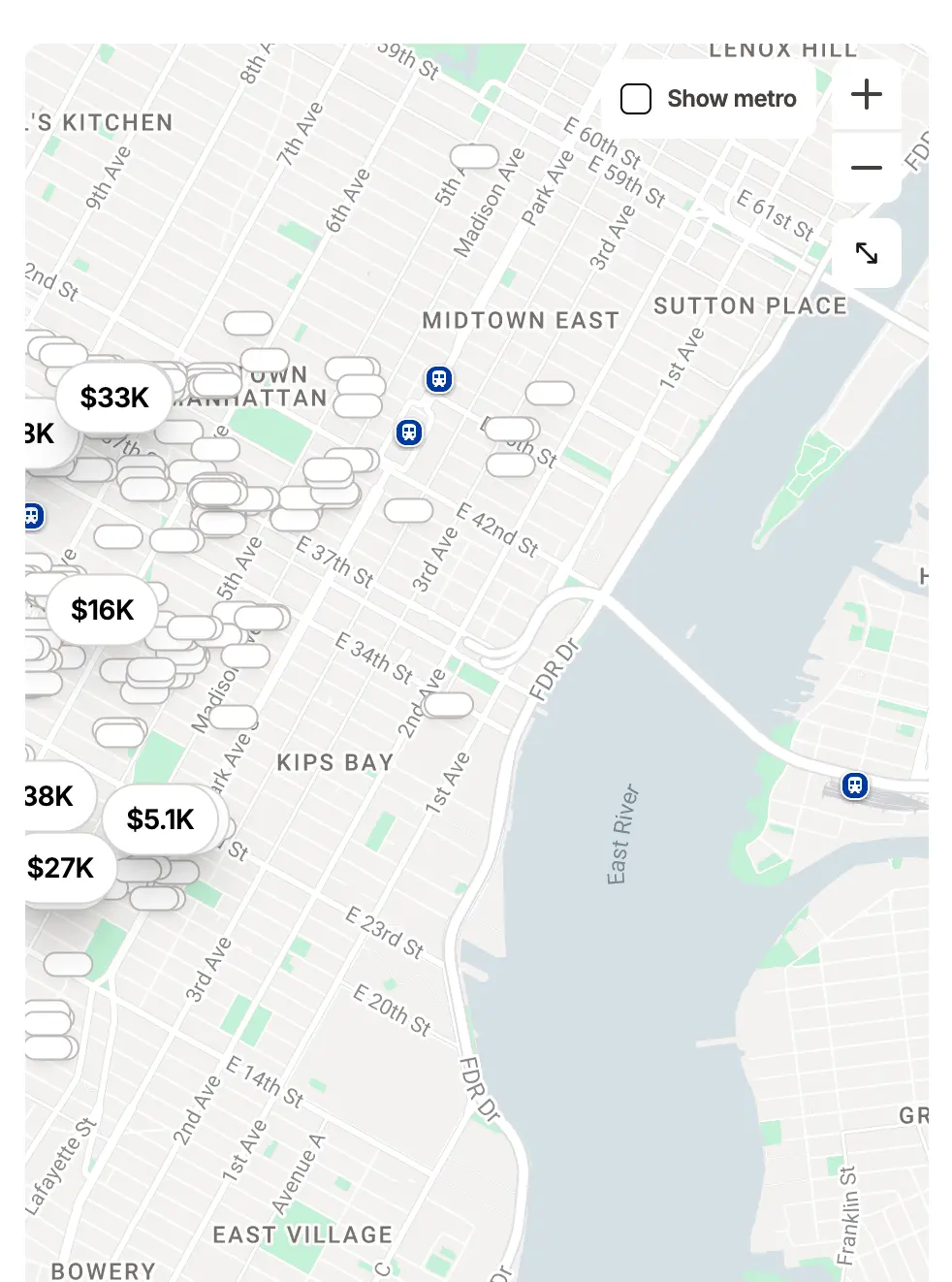
https://tandemspace.com/offices/new-york-city/soho?bounds=%7B%2522south%2522:40.718...%7DThere are some weaknesses with the district URL structure — links are buried beneath often long lists of
<a href> links to individual offices, which could lessen Google's perception of their
importance. This could easily be addressed with stronger footer links, which are currently fairly sparse:

On the whole, though, it has worked well. Tandem ranks on page one for queries like "office space soho", "office space Harrison", "office space Miami gardens" — none of which could be targeted if they only indexed those broader city-level canonicals:
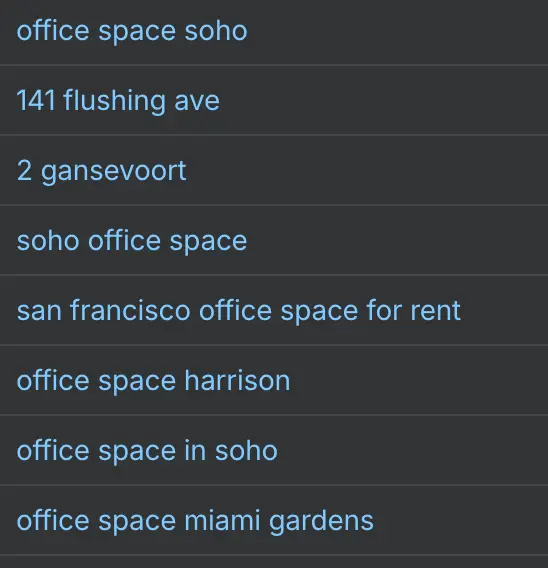
In fact, Ahrefs estimates that the SoHo filter alone gets around 20% of all Tandem's traffic.
That said, there's further opportunity to target high-intent, long-tail queries through a more expansive indexation logic. A good example is the presumably high-intent "pet friendly offices New York", searched around 20 times per month. LiquidSpace generally ranks first for it:
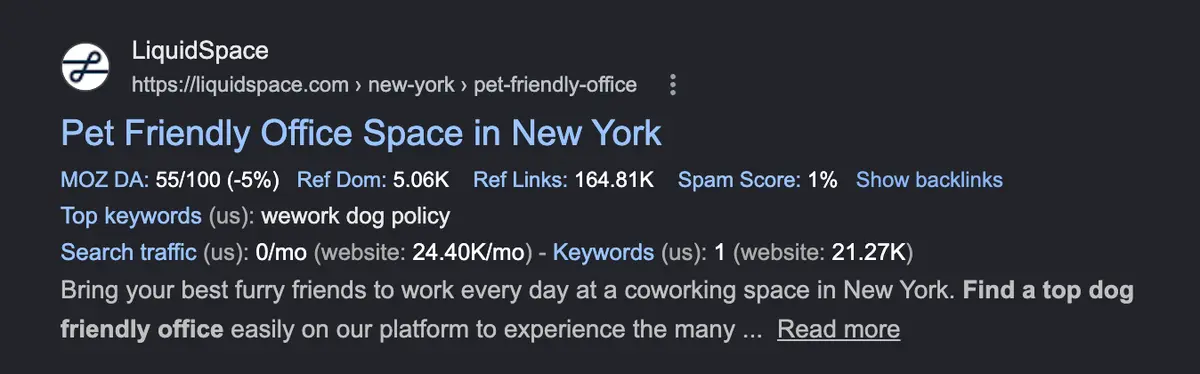
Their pet-friendly filter uses a clean URL structure and is self-canonicalised:
<link rel="canonical" href="https://liquidspace.com/us/ny/new-york/pet-friendly-office">Tandem is nowhere to be found, despite having a filter for exactly that:
/offices/new-york-city?amenities=["PET_FRIENDLY"]And that's because of Tandem's broad canonicalisation logic, in which all filters point back to the clean city URL. For the URL above:
<link rel="canonical" href="https://tandemspace.com/offices/new-york-city">Even with a site search operator, Tandem returns individual office space listings marked with the pet-friendly feature — but naturally, none of these individual listings is enough to satisfy the broader query "dog friendly offices New York". People searching for that want a searchable list of offices, not a single address:
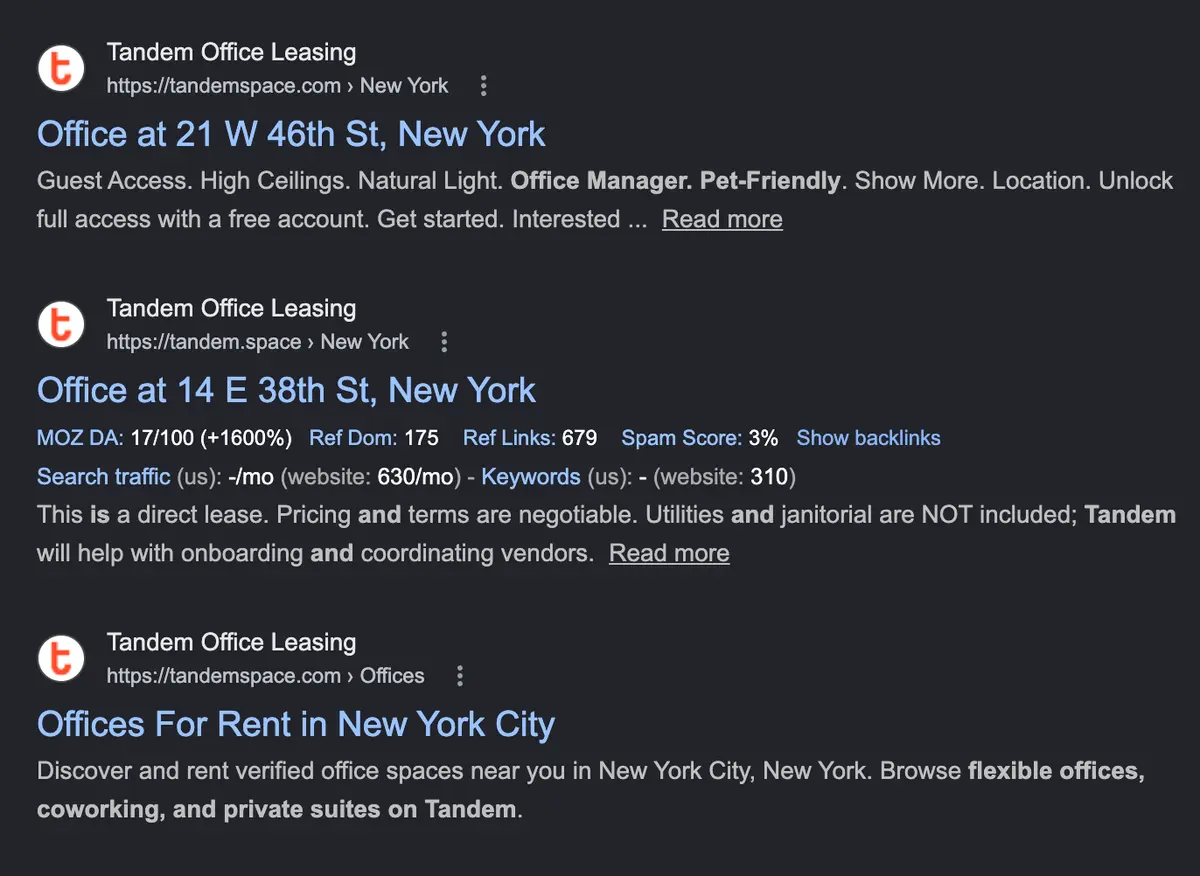
Although Tandem's approach is strong on the whole, it could benefit from a more precise and expansive indexation logic to maximise long-tail search capture. The challenge here is strategic more than technical: Tandem would need precise keyword research to understand which query patterns have sufficient demand to justify indexation, and which would only cause cannibalisation.